6.6. What’s new in PyMoDAQ 5
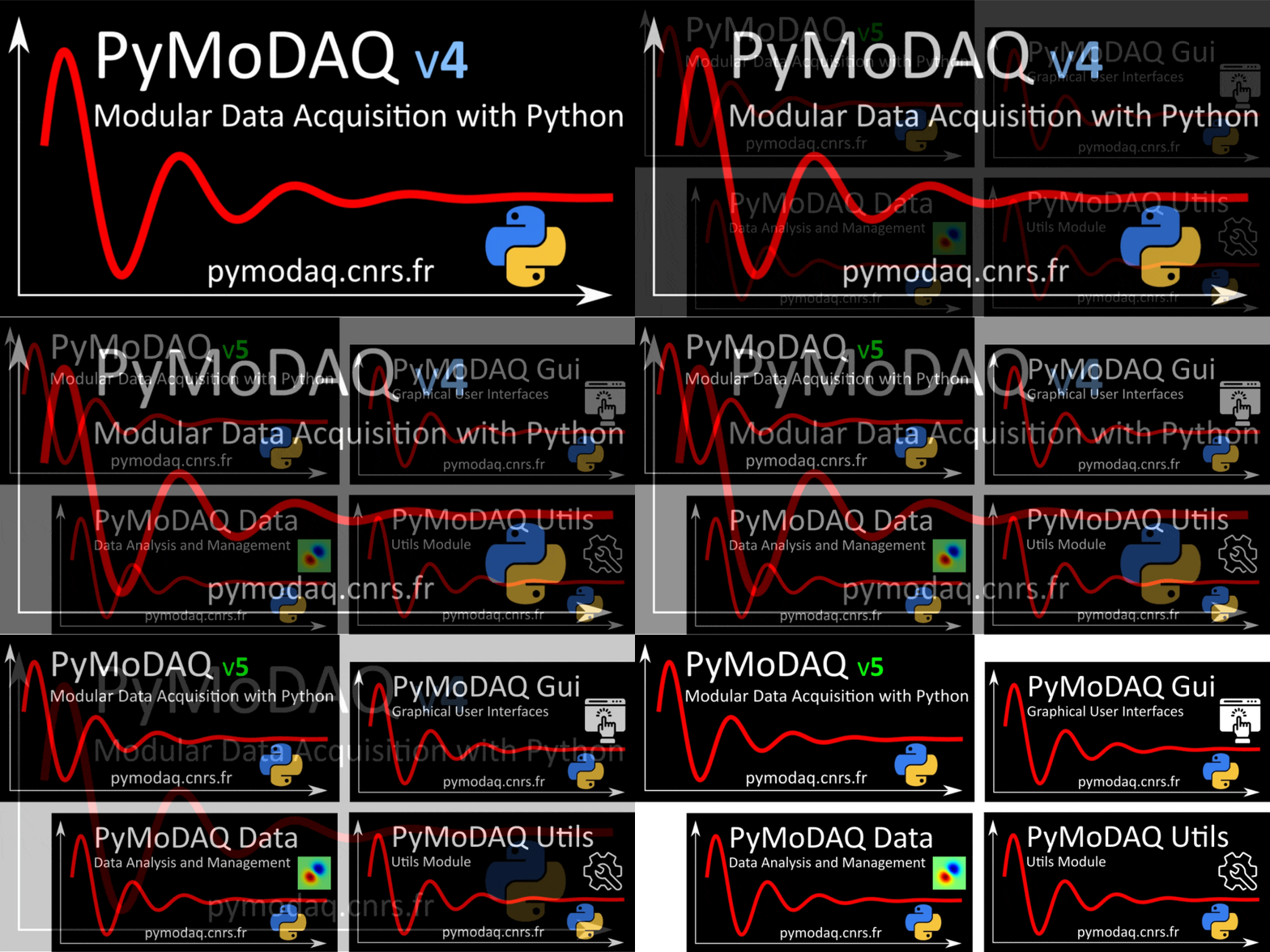
The main modifications in PyMoDAQ 5 is related to the organization of the packaging. The second one is the change from python packaging with the introduction of pyproject.toml (for more information check Plugins) and the choice to use hatch to manage the building, package versioning and publishing (All those part are treated in the Write and release a new plugin).
Three new packages were created to offer features pack independantly :
pymodaq_data: specific for data management/saving/loading
pymodaq_gui: specific to create GUI and giving access to the one we know from pymodaq
pymodaq_utils: the basic things that are used everywhere (ie: logging, configuration management, mathematical tools…)
The main idea behind this change is to increase modularity, reusability and to be able to load just the part of the features we need.
For a full list of matching path of objects between version 4 and 5, check Modules Path changes from v4 to v5
6.6.1. PyMoDAQ Utils
(for detailed library information check pymodaq_utils )
This package provide a set of utilities (constants, methods and classes) that are used in the various subpackages of PyMoDAQ (PyMoDAQ itself, but also plugins and data management and user interfaces modules).
Basically, all the common generic class and methods used in every pymodaq packages, like logging. Figure Fig. 6.8 show the layout of this package.
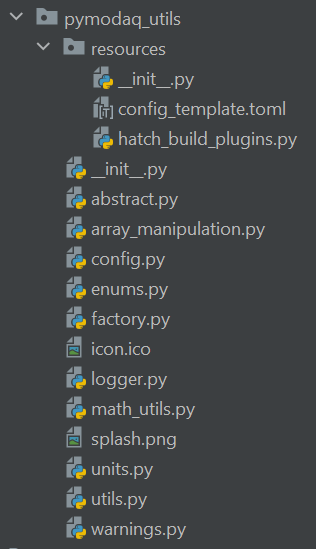
Fig. 6.8 Layout of the utils module
It looks a lot like the old utils directory in PyMoDAQ 4 (without the gui and data objects). They can also be used in some other programs to use their features. Below is a short description of what they are related to:
abstract: contains abstract classes (if not stored in another specific module)
array_manipulation: utility functions to create, manipulate and extract info from numpy arrays
config: objects dealing with configuration files (for instance the main config for pymodaq). Can be used elsewhere, for instance in instrument plugin
enums: base class and method to ease the use of enumerated types
factory: base class to be used when defining a factory pattern
logger: methods to initialize the logging objects in the various modules
math_utils: a set of useful mathematical functions
units: methods for conversion between physical units (especially photon energy in eV, nm, cm, J…)
6.6.2. PyMoDAQ Data
All the changes made in PyMoDAQ 4 about data management were moved in this package.
Before the modules where stored in different places, mainly pymodaq.utils.data, pymodaq.utils.h5modules
module. You had to install and load the whole PyMoDAQ python package if you want to use the Data Objects or acess the hdf5 features.
Now, you can install only pymodaq_data (which still requires the all the basic function from utils).
Figure Fig. 6.9 show the layout of this package.
All the datatypes are listed there Data Management
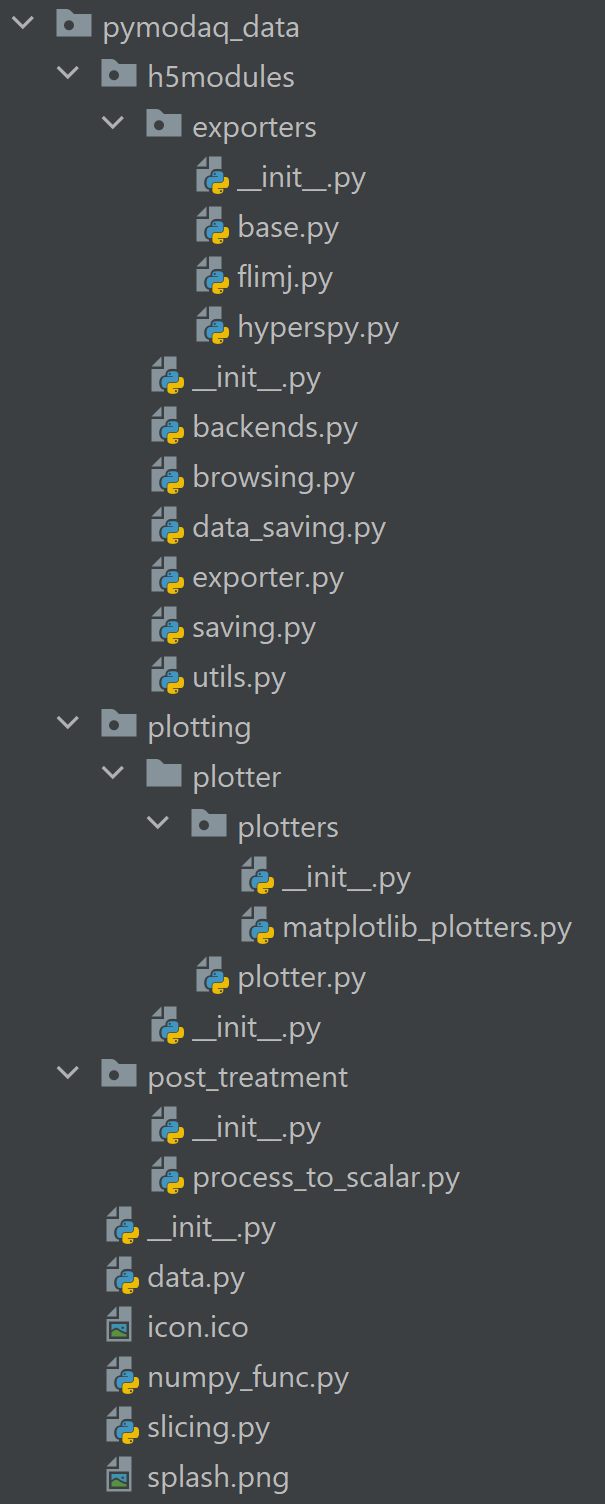
Fig. 6.9 Layout of the data module
6.6.3. PyMoDAQ GUI
This package gathered all the GUI components shared (or to be shared) among all the PyMoDAQ affiliates (dashboard, customapp, extensions…). Set of Qt widgets and graphical components for the PyMoDAQ ecosystem. The two main categories are : Managers, Plotting
Figure Fig. 6.10 show the layout of this package.
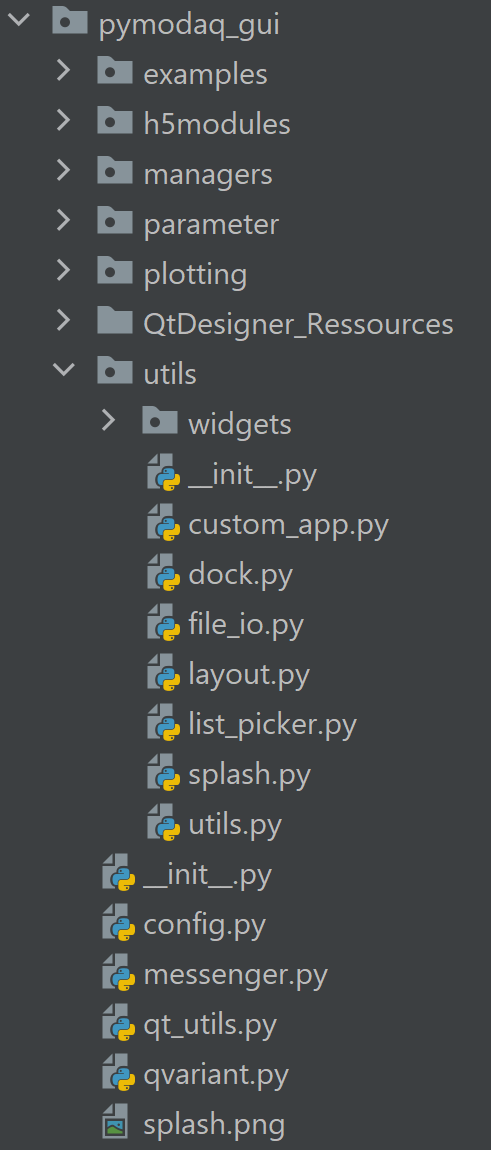
Fig. 6.10 Layout of the GUI module
6.6.3.1. Managers
(for detailed library information check Managers )
ActionManager, offers to all user interfacesQActionand connected actions management.ParameterManager, used to manage all theParameterTree(from pyqtgraph) in pymodaq modules (global settings, viewer settings, hardware settings…).ModulesManager: DAQ_Moves, DAQ_Viewers…
6.6.3.2. Plotting
(for detailed library information check Plotting )
The plotting tools are mainly used for data display, from scalar data up to 4 dimensions data. This is also another plotting class (for lcd like display) described there Plotting utility classes