Author email |
|
Last update |
october 2024 |
Difficulty |
Easy |
3.8. Jupyter Lab
JupyterLab is a well known IDE giving access (among other things to notebooks). Let’s install it for practising with the PyMoDAQ’s notebooks tutorials .
JupyterLab can easily be installed with conda or pip. Create a new environment, for instance named jupyter and launch the command:
(jupyter) conda install jupyterlab nodejs
or
(jupyter) pip install jupyterlab nodejs
Done? You can enter the command: jupyter lab in your activated
prompt to start it.
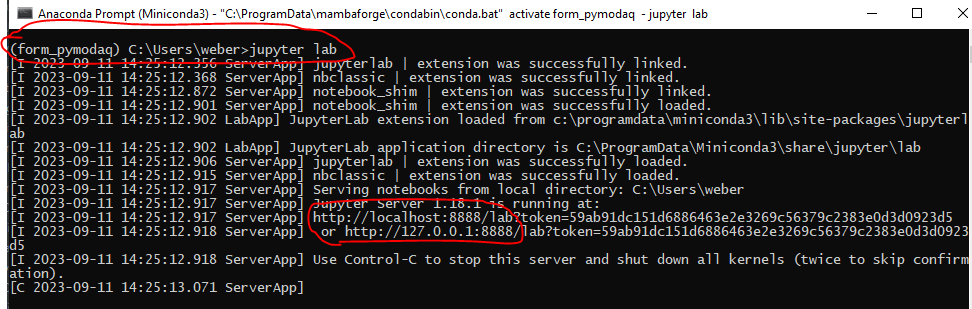
Fig. 3.99 Starting Jupyter lab
In fact by doing so, you’ve started a web server. You can then use a client, your favorite web browser, to access it. The address of the server is written in the prompt
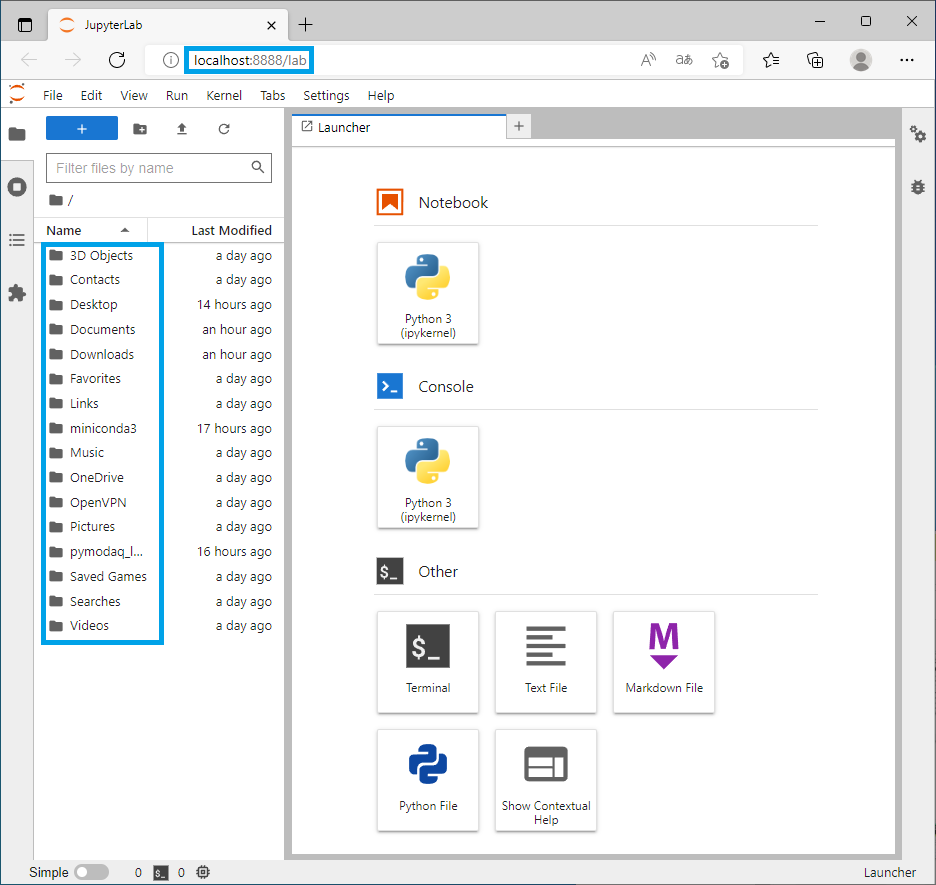
Fig. 3.100 The start page of jupyter lab in our browser
Our default web browser is opening into a page starting with localhost that is an internal server. The file browser points to the directory where we started the server.
To ease the use of this, let’s create a shortcut with a starting field
pointing to the location of the jupyter notebooks (for instance
C:\Users\formateur\Documents\pre_formation_pymodaq)
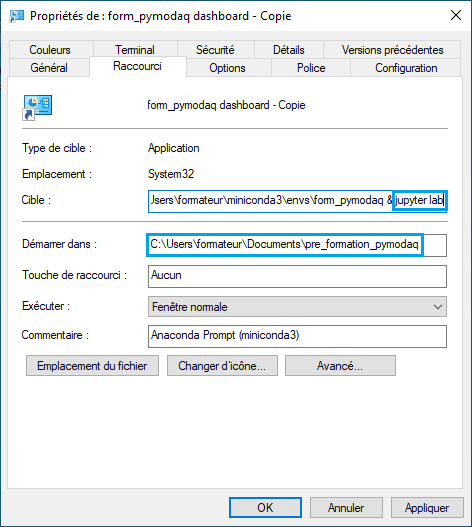
Fig. 3.101 Shortcut creation
The jupyter icon can be found in it’s environment (we named it
jupyter) that could be something like:
C:\Users\formateur\miniconda3\envs\jupyter\Menu\jupyter.ico
Rename your shortcut and let’s configure jupyter lab to use the python interpreter from our form_pymodaq environment.
To do so, open a miniconda prompt and activate your environment.
Type in
(form_pymodaq) pip install ipykernel
(form_pymodaq) python -m ipykernel install --user --name form_pymodaq --display-name pymodaq

Fig. 3.102 Installing and registering our environment as a jupyter kernel
you’ll now be able to start a notebook in jupyter lab using the kernel (the interpreter) of your form_pymodaq environment, below is the one we simply named pymodaq.
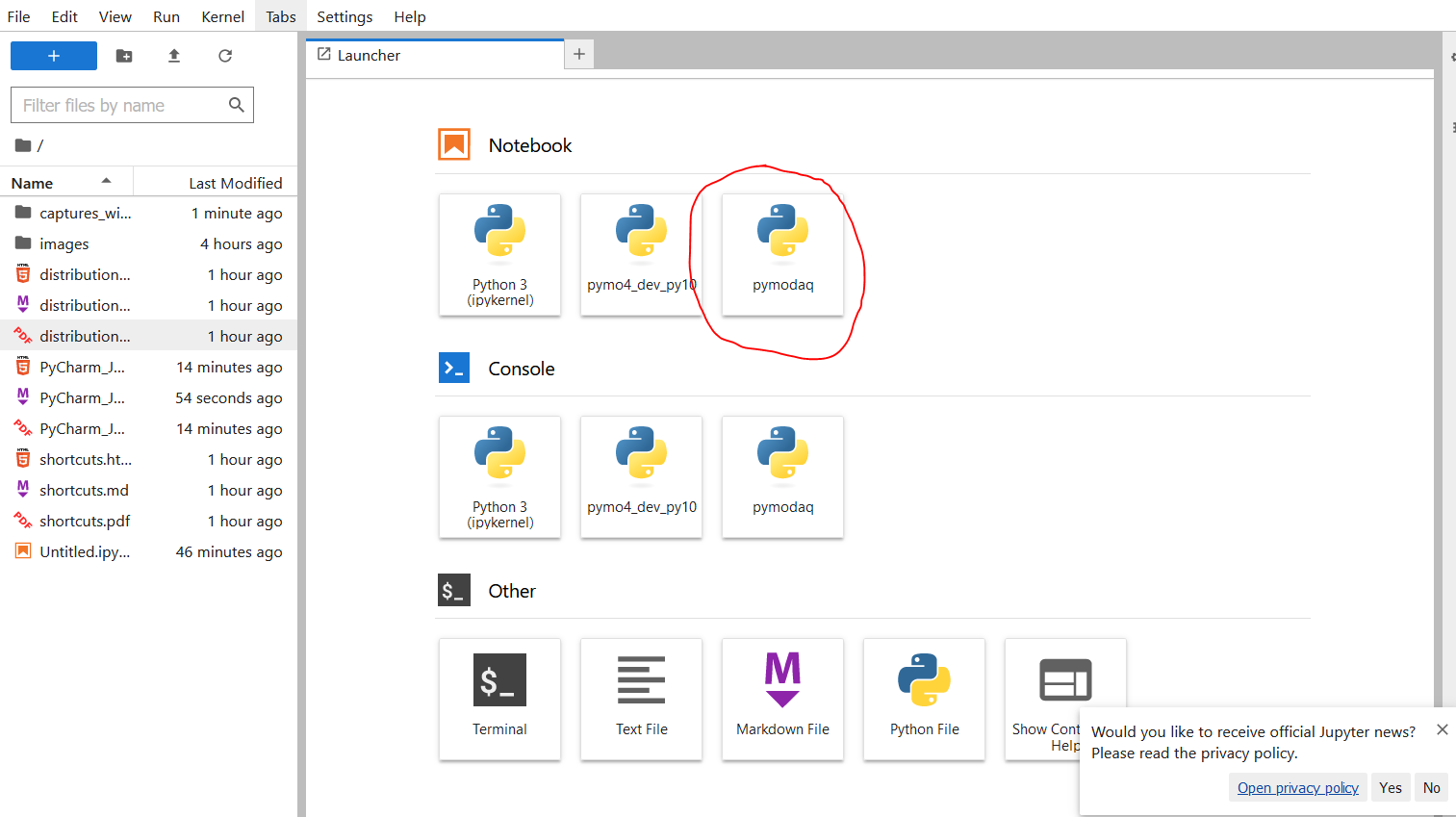
Fig. 3.103 Selecting one of the installed kernel (interpreter)
And to open a notebook and configure it using the right kernel:
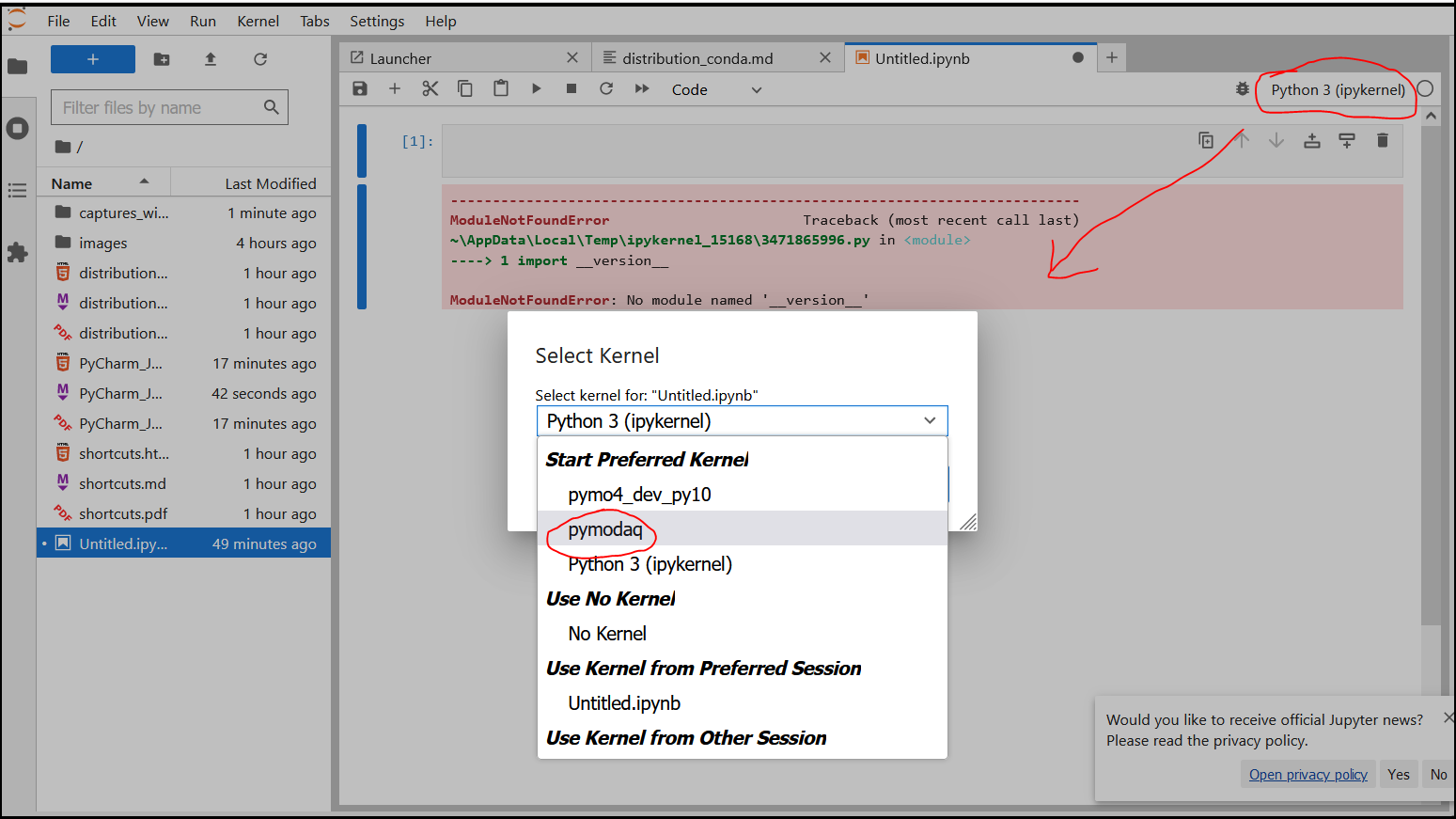
Fig. 3.104 Start a notebook with a given kernel
Ok you’re ready to go!